 Open UI
 Navigation Bar (Explainer)
- Authors
- @domfarolino
- Created
- Last Updated
The Pitch
Navigation bars with hover-triggered overlays, rich design items, a hierarchy of links, and some form of keyboard interaction, are a common pattern across the web, as seen below.
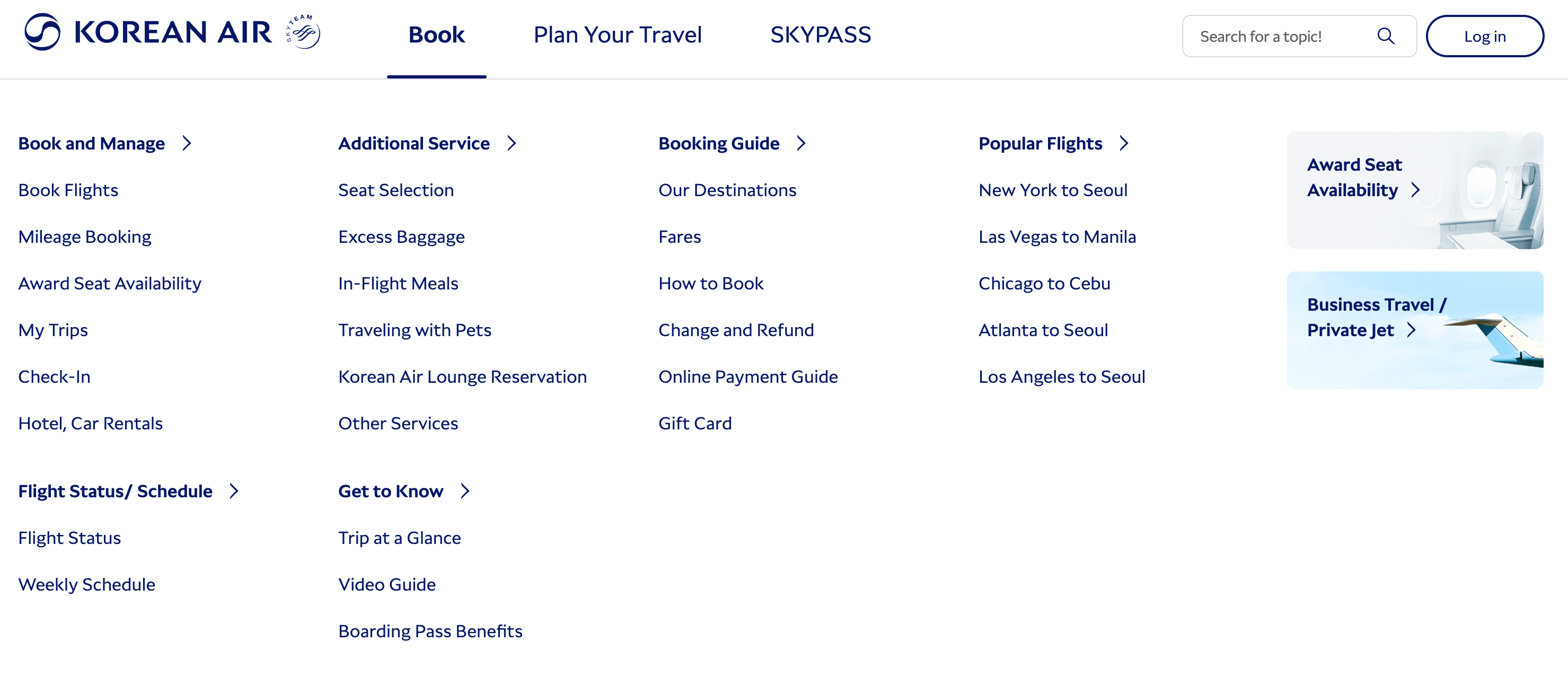

Unfortunately, implementations across the web vary significantly in accessibility, keyboard behavior, and other characteristics. Furthermore, navigation bars on the web often misuse the ARIA application menu role for navigation “menus”, creating a poor accessibility experience and inconsistent behavior.
Our goal is to offer an accessible and user-friendly alternative to the common, but often misused ARIA menu pattern for site navigation. Note that this proposal is in a very early stage, and many details are not included in this document yet.
This allows authors to bring so-called “mega menus” to users with predictable behavior and good accessibility. A mega menu is a large, expandable navigation menu that displays multiple options in a panel when a user clicks or hovers over a navigation item. Unlike traditional dropdowns with a single column of links, mega menus organize content into multiple columns with subcategories, often incorporating visuals like images, icons, and text to provide an overview of a website’s structure.
Note that this explainer only covers navigation menus, not application menus, which are covered by the Menu Elements Proposal.
The <navigationbar> element
The <navigationbar> element represents an in-page group of either links, or disclosure buttons
that display a popover consisting of the navigation bar’s links. It defaults to a horizontal
orientation, and its child elements are flex items displayed in a row, however like the application
menus proposal, we are discussing an orientation attribute to support vertical navigation bars.
See Issue #1201 for more.
This element:
- Provides the implicit
navigationARIA role. - Provides the correct keyboard and focus behavior, drawing from both the
Disclosure Navigation
MenuPattern, Disclosure Navigation Hybrid Pattern, and the the Menubar Pattern.
Accessibility
One goal of this proposal is to make the menu elements we propose accessible by default. To achieve
this in part, our proposal follows the ARIA Authoring Practices Guide (APG) for both the
Disclosure Navigation Menu Pattern,
Disclosure Navigation Hybrid Pattern,
and best practices curated from accessibility experts as closely as possible; deviations are
discussed with accessibility experts and documented here to the best of our ability. This section
describes the concrete implications on our proposal.
We acknowledge the longstanding accessibility issues with navigation menus, and our proposal is an attempt to bring accessible, feature-rich navigation bars to the web platform while avoiding the pitfalls that accessibility experts have raised when application menus are misused as navigation menus. See the reading list below, and the Menu Elements proposal’s § How does this proposal relate to navigation menus? section and Issue #1193 for more information.
FAQ
Why not reuse the <nav> element?
We might! More discusson on how to make the <nav> element suitable for this use case is underway,
but for simplicity for now, we’re introducing a new element to give us more flexibility when
implementing new behavior, and to draw a clean boundary between our proposal and pre-existing
features. See Issue #1194 for more.
Reading List
Navigation bar patterns have been heavily discussed; please see below to learn about how the community has engaged with this space so far.
Relevant ARIA and OpenUI issues
- [ARIA practices] Clarify Purpose of Menu Navigation
- [OpenUI] Navigation vs menu items use case
- [ARIA] Concerning navigation “menus” (open ui related)
APG pattern recommendations (note these are not guidelines)
HTML specification
- The nav element
Blog posts from accessibility community
- https://adrianroselli.com/2017/10/dont-use-aria-menu-roles-for-site-nav.html
- https://adrianroselli.com/2019/06/link-disclosure-widget-navigation.html